Trigger from anywhere
Hold fn, double-tap it, or bind a custom global shortcut. Recording starts while the frontmost app keeps focus.
 Just Speak to It
Download
Hold a shortcut, speak, and the finished text lands in the field where your cursor was. Run speech models locally on your machine, or connect directly to cloud providers with your own API keys.
How it works
Just Speak to It stays in the background while another app is active, so dictating does not pull focus away from your window.
Hold fn, double-tap it, or bind a custom global shortcut. Recording starts while the frontmost app keeps focus.
Stream words live as you speak or transcribe a saved audio file. Personal corrections, pronunciation hints and per-app profiles adjust the model and clean-up prompt for code, chat or email.
The session records the active text field before capture begins and types the result back into it, even if another window came forward mid-sentence. Clipboard output is optional and restores the previous clipboard afterwards.
Privacy and keys
Audio stays on the device when a local model runs, and goes straight to the chosen provider when a cloud key is configured. Just Speak to It runs no relay server and requires no account.
Mac builds include Apple's on-device speech recognisers, six WhisperKit models on Core ML, and Parakeet for local streaming. Windows and Linux betas run whisper.cpp locally. Clean-up can use Apple Intelligence, downloaded local LLMs or offline rules.
Cloud transcription, clean-up and speech synthesis use accounts you control. Keys live in the system credential store, and requests go directly to each provider (or through an optional local Azure proxy on your Mac).
History stays on the device unless synced through a private iCloud container. Crash diagnostics and optional Mac usage analytics exclude audio, transcripts and keys.
Apple's older Speech Recognition engine can fall back to Apple's servers when an on-device model is unavailable, and enabling iCloud sync or cloud providers sends data off the device. Read the privacy policy for the full breakdown.
Models
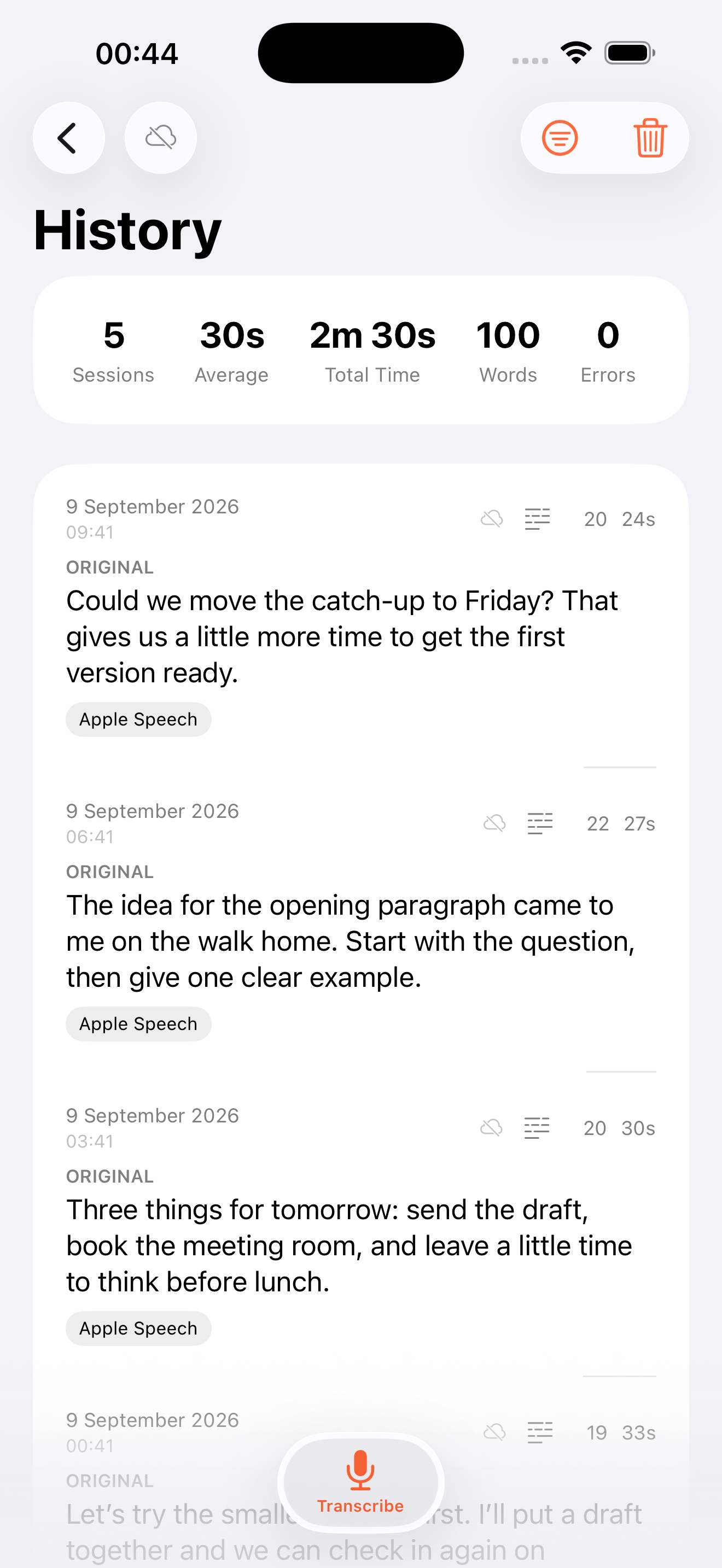
Pick a fast streaming model for short replies, an offline model on a train, or compare two providers on the same recording with estimated cost in History.
Streaming models display words while you speak.
Batch engines transcribe voice memos, interviews and meeting recordings.
An optional pass fixes punctuation and filler words, or follows a custom prompt through local models or OpenRouter.
Built-in system voices and cloud providers read selected text or clipboard contents aloud.
Model availability varies by platform and OS version. Full provider list → Request a model →
iPhone & iPad
Start recording from a hardware press or Control Centre, check progress in the Dynamic Island, and send finished text to the clipboard or your Mac.
Automation
Every automation surface talks to the running app, so scripts and coding agents use the configured models and profiles without handling API keys.
# Transcribe an audio file to the clipboard
$ speak transcribe memo.m4a | pbcopy

# Dictate a commit message
$ speak listen
$ git commit -m "$(speak stop)"

# Register the MCP server for Claude Code
$ claude mcp add justspeaktoit -- speak mcp
Local socket access stays off until enabled in Settings → General → Automation.
speak)
transcribe, listen, stop, history and status, with versioned --json output and distinct exit codes so scripts can branch cleanly.
speak mcp)
Exposes dictation, file transcription and History over stdio to Claude Code and other MCP clients, with idempotent start and stop calls.
justspeaktoit:// and x-callback-url actions when the iOS app is in front.
Download
Free and MIT licensed, with no account to create. Mac builds are stable releases; iPhone, iPad, Linux and Windows builds are public betas.
macOS 14 or later. The direct download uses macOS Accessibility to type straight into active fields (there is no Mac App Store build).
Public beta on Apple TestFlight (iOS 18 or later for background Shortcut start and stop), or build from source with Xcode.
Native GTK 4 desktop app with local whisper.cpp transcription, published to a signed Flatpak repository with automatic updates.
Native desktop app and speak CLI with local whisper.cpp runtime. Unsigned portable ZIP bundles for now, so SmartScreen may prompt on first launch.